


Compare two ECU files online
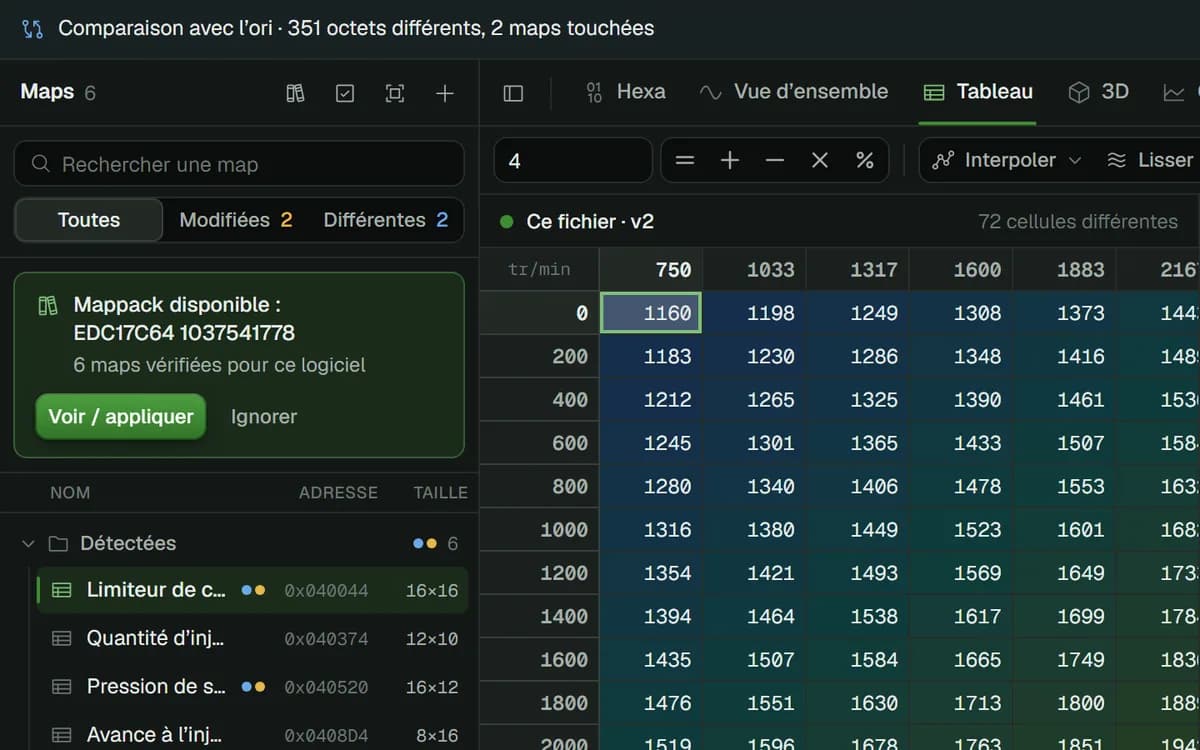
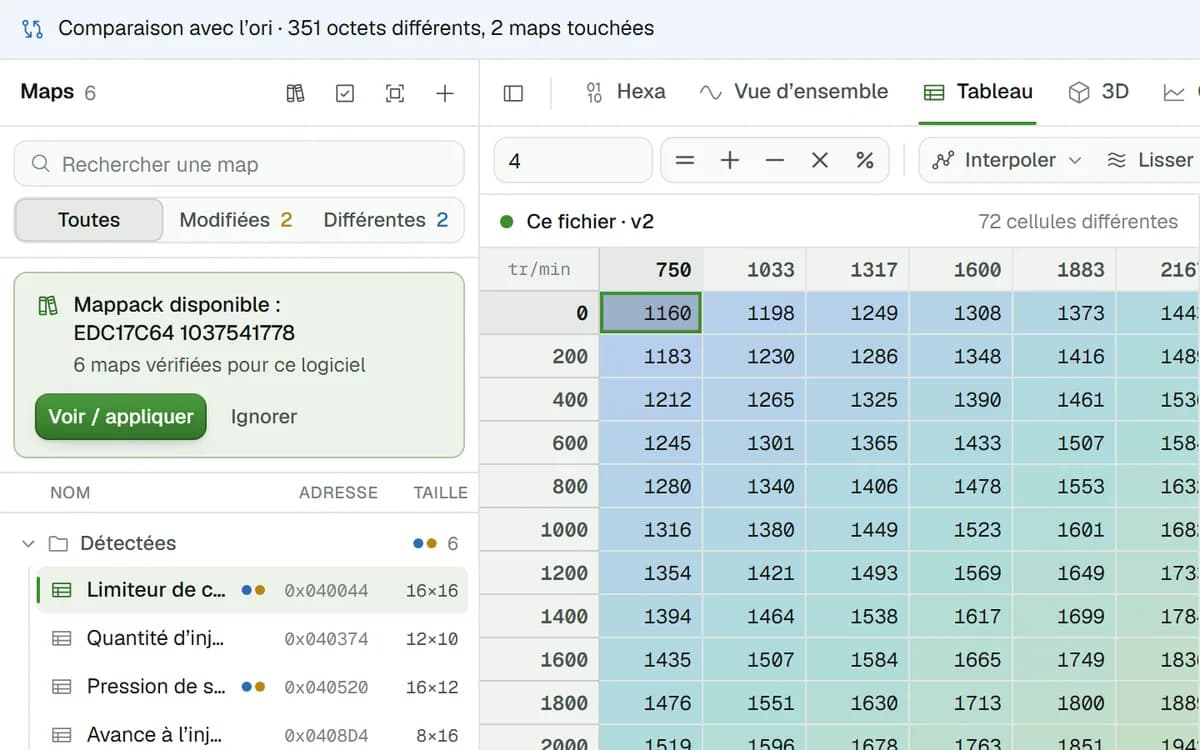
Chiptune BIN compares an ori and a mod, two versions or two reads in the browser. Differing bytes and maps are highlighted in every view: hex, table, curves and 3D.
Free Discovery plan with a ChiptunePRO account. Comparison, checksums, imports and download are part of the Pro plan.
What you can compare
The open remap can be compared with three sources: its ori, one of its versions, or another remap in your account (its ori or one of its versions).
To compare a mod received from someone else, import it as a new version. Chiptune BIN accepts a binary, an Intel HEX file or an S-record. It checks that the mod matches the ori before saving it: with less than 60% identical bytes, the file is refused.
The compared file is always read-only. Only the open remap can be edited.
Side by side or overlaid
By default, the two files are shown in two panes side by side. Scrolling is synchronised: the same address stays aligned in the hex view, the same cell in the table.
The overlay view places the compared file over the open file. It suits curves and 3D.
A summary gives the number of differing bytes and the number of maps touched.
In the table, each differing cell is marked and their count is shown. A cell or a whole map can be reset to the original value from the context menu.
Reads of different sizes
An OBD read often contains only the calibration area. A full bench or boot read contains the whole flash. The addresses therefore do not line up.
Chiptune BIN finds the offset on its own. It takes characteristic 32-byte blocks from the smaller file, finds them in the larger one and checks every match byte by byte. The offset is only kept if at least 60% of the bytes in the common part are identical.
When in doubt, no offset is proposed. If several offsets are possible, they are listed and you choose. You can also enter the offset by hand.
Changed areas outside maps
A difference that falls in no defined map deserves a check: a forgotten map, a code patch, a checksum area or a typo in the hex view.
The “Changed areas outside maps” tool lists these differences against the ori or the compared file. Nearby differences are grouped into areas, with the nearest map to locate each area.
Before download, a check also flags cells stuck at the minimum or maximum, isolated spikes and axes that are no longer monotonic.
Reusing maps from another remap
Maps defined on another remap of the same ECU are searched for in the open file, even if their addresses moved from one software version to another.
Each map gets a result: same address, moved, ambiguous or not found. Ambiguous and missing maps are not ticked.
Frequently asked questions
No. Comparison is part of the Pro plan, included in the ChiptunePRO Pro plan. The Discovery plan lets you open a file and work its maps.
Yes, by importing the .hex or .s19 as a version. It is flattened, aligned to the ori and saved at the ori’s size. Bytes outside the ori are not imported, after confirmation.
For two reads of different sizes, alignment fails with the reason: no common part, or a common part that is too different. For two files of the same size, the comparison is address by address, and the map reuse tool finds maps that have moved.
No. It stays read-only. Only the open remap is edited, and every change can be undone.
Read next
- WinOLS alternativePrice, system, imports, checksums and versions compared with WinOLS, plus what Chiptune BIN does not do.
- Online checksumsRecognized families, correction rules and signatures: what Chiptune BIN verifies and corrects.
- XDF, A2L, DAMOS, WinOLSDefinition formats read in the browser, their limits, and exports to WinOLS or TunerPro.
Try it on your own file
Create a ChiptunePRO account, open the editor and drop a read. The Discovery plan is enough to see your maps as hex, tables and curves.